

Code & testing
Help improve the desktop experience, investigate issues and test real workflows. Start with the contribution guide on GitHub.

 Desktop 0.0.1104-beta

gogosling is an open-source agent built in Canada. Read files, shape drafts and keep projects together in your own desktop workspace.
Your workspace. Your model connection. No Desktop account required.
 gogosling desktopYour project. Your workspace.
Add a file and choose the project notes this task should reference. A clear starting point makes the next step easier.
 You choose the context for each task.release-notes.mdRelease notes
 review-checklist.mdA short review checklistTwo selected files. A clear scope.
Name the output, the points to cover and anything that needs checking. You can return to the conversation as the work develops.
A model connection is configured in Desktop.Turn these release notes into a short brief. Cover what changed, what to check before publishing and the next step.
Read the result, check its facts and refine the wording. For text-file changes, inspect the differences and permissions before applying anything.
Review comes before applying a file change.Read. Check the facts. Refine the wording.
Save a result version, copy the text or export a file. Keep it with the project so you can pick up the work later.
Local projects and drafts stay on your computer.release-brief.mdProject: Release notesv2
A closer look at the way work happens in Desktop.
Start a task, add a file and choose the project materials to reference. Keep the scope of the work clear from the first step.
Add files for the taskChoose relevant project materialsDescribe the work you want to dogogosling desktopDevelopment preview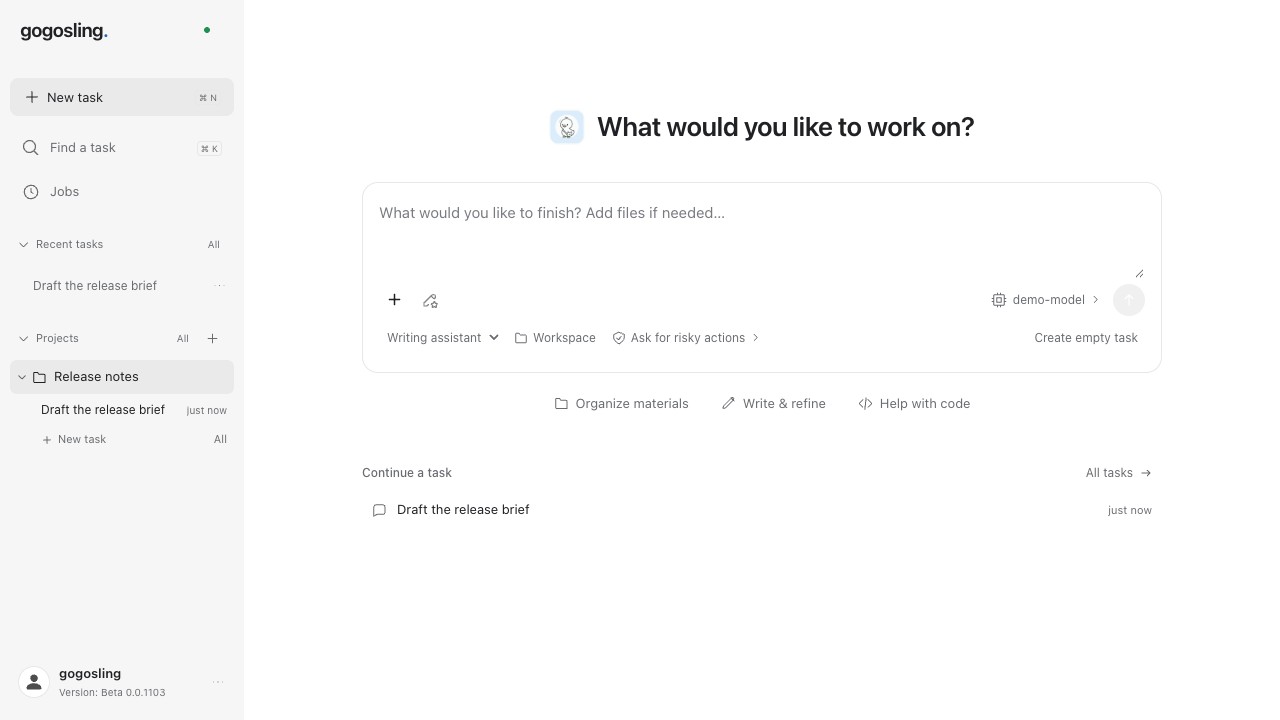
Keep the conversation and document preview side by side. Refine a draft, save a version or inspect a file change before applying it.
Conversation and preview, side by sideRefine a draft before saving a versionInspect file changes before applying themgogosling desktopDevelopment previewSettings brings together models, tools, connections, permissions and resource controls. Choose a compatible local or remote model endpoint; provider usage fees depend on your setup.
Configure a compatible model endpointManage tools and file permissionsReview connections and resource controlsgogosling desktopDevelopment preview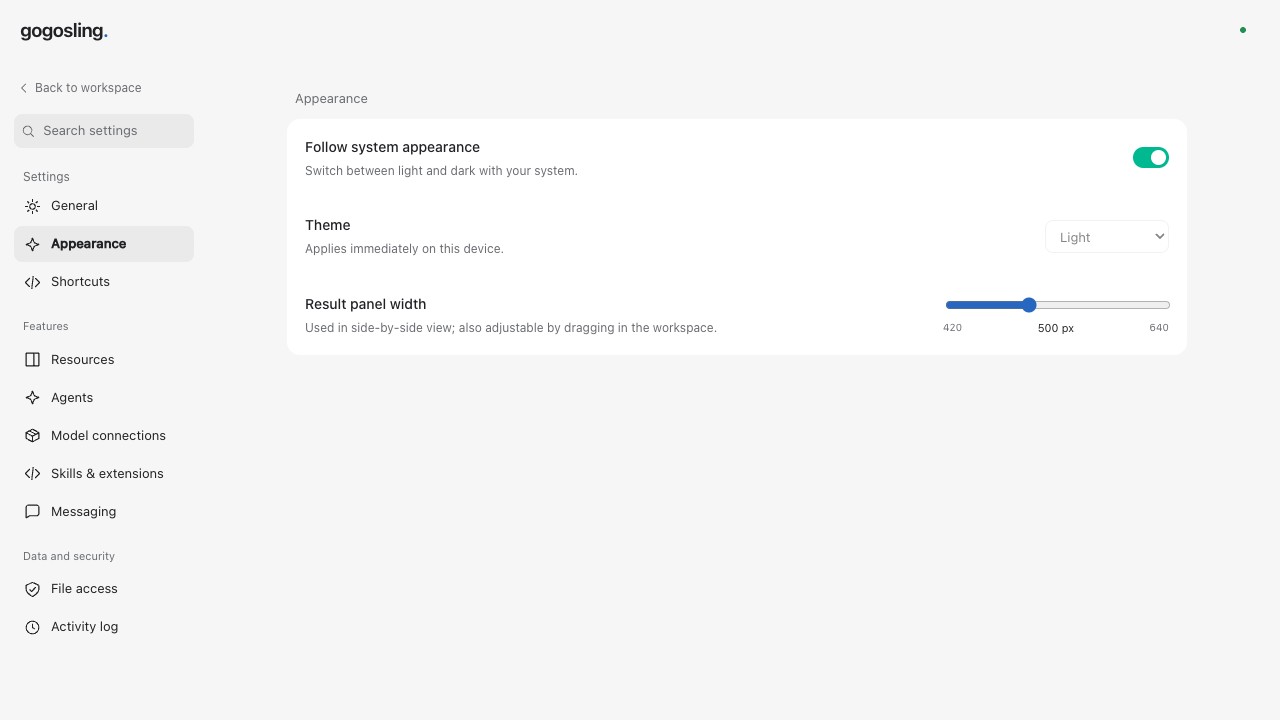
Actual Desktop development preview · English interface in an isolated demo workspace. Sample content demonstrates the UI, not model quality.
Proudly built in Canada, and open to people everywhere. We want to add something useful to Canada’s open-source community: code you can read, tools you can shape and documentation you can improve.
Help improve the desktop experience, investigate issues and test real workflows. Start with the contribution guide on GitHub.
Make setup easier to understand. Help with examples and documentation in English, French and other languages.

Share a task, try a workflow or tell us where you got stuck. You do not need to write code to contribute.
GoGoslingCA / gogoslingMIT open source · Desktop development previewgogosling is an MIT-licensed, open-source agent project built in Canada. Its desktop workspace lets you read project files, edit drafts, review proposed changes and save useful versions.
The official release page provides the Apple Silicon Mac beta 0.0.1104. It is unsigned and not notarized. Read the installation notes first; other installer builds are not included in this release.
Desktop source is available under MIT. The iOS client will be free at launch. Third-party model requests may be billed by your chosen provider.
It is still in development, with no public App Store or TestFlight release announced here. It will be free at launch and connect through your own Desktop.
Get news about Desktop releases and the iPhone companion. Your email joins the release list; it does not create a product account.
Signed Desktop installer newsiOS launch updates